
 The first stop on our social network tour is Facebook. If you don't know what Facebook is by now, you must have been in a coma for the last ten years. Among being able to contact and leave messages that others can check on their own pages at their convenience, Facebook has grown into quite the social networking empire. You can play games, take surveys, ask questions, share images and videos, etc. It really is a one-stop shop for all of your social networking needs (sans blogging). We're not here to talk about the network itself, however. We're here to review the app itself. If you have a smartphone or a feature phone, you should be able to download an app specific to your phone whether it be an iPhone, Blackberry, Windows phone, etc. You can do almost everything there is to do in Facebook with this app... except use any of the website applications (Zynga, etc.). Below is my breakdown of the features of the app and how they work.
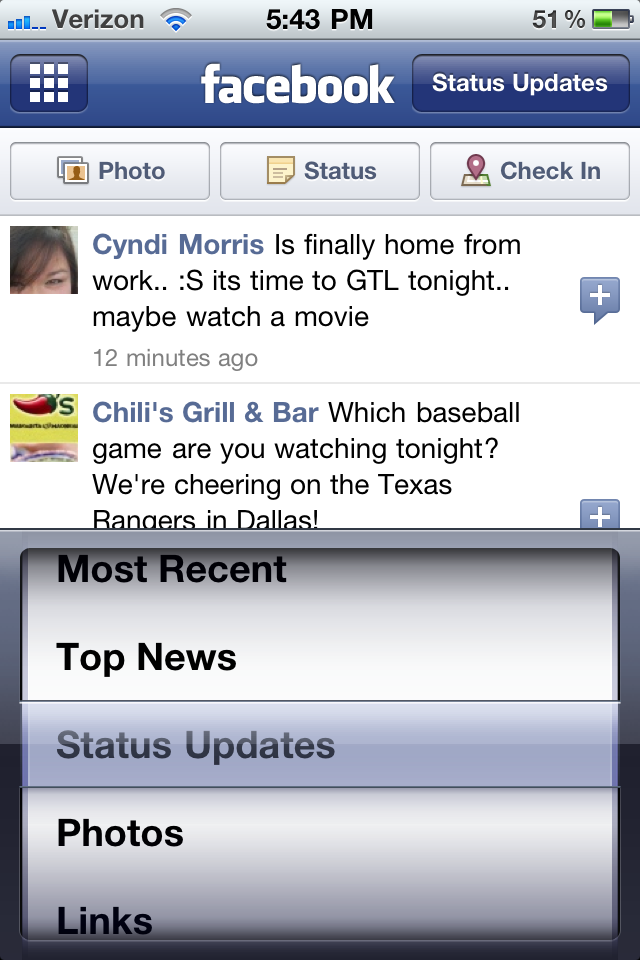
- News Feed: Probably the most important feature of the app because it is the one feature that is unique to Facebook. You can filter your news feed to show only status updates, most recent posts, photos, links, events, and the top news out of everything. This is also where you can post a new status update, post photos from your mobile device, and check-in to where you're at (more on this later).
- Profile: You can also post your status or images from the Profile section. You can view your information and look down your own wall to check posts and comments. Pretty standard to what you can do online.
- Friends: One of the best features of the Facebook app is to be able to contact your friends via the information they have included on Facebook. You simply need to click on their name in the Friends section to e-mail to call them. This saves you from having to have everyone's number in your Contacts even though you'll only need to contact them for one group project for Freshman Bio.
- Messages: Messages works the same way it always has, and there is little to report here. For those who don't use Facebook or haven't figured everything out yet, you can post messages to one friend or a group of friends in a more private setting than your Wall.
- Places: OKAY! As many smartphone users know, the most popular app used to brag about your present location is Foursquare. However, Facebook has added a similar feature titled " Places." While I applaud Facebook for adding this novelty feature, I would say that it doesn't quite meet the bar that Foursquare has set. Yes, you can post where you are and what you're doing and with whom. However, Foursquare lets you post where you are with photos, tips, and shout-outs. You can also earn neat badges for checking in to certain places or at certain times or to certain places and certain times under certain circumstances... More on Foursquare later. The point I'm making is that Facebook has the feature, but I NEVER use it.
- Groups: Back in the day (and I mean a year ago), groups on Facebook were simple. You join a group for whatever reason but there was way more hassle is keeping up with the groups. This is something I think Facebook has greatly improved, even in the mobile app. Groups are separated from pages in a big way. A great example can be seen in my wedding preparations. I simply created a group for my wedding party and added everyone who is on Facebook. There, I can post reminders or updates, keep in touch with everyone and their travel plans, even create documents to post to the page that give information about where, when, how and why. When I'm out and about, it's great to have a place I can post a quick question and get feedback quickly.
- Events and Photos: Events is pretty easy and is nothing different or special when you compare the website to the application. You are invited to events, you can reply and RSVP, etc. Self-explanatory. Photos... This is what I want to talk more about. The #2 best feature of Facebook is the ability to post unlimited albums and photos for everyone to see. This saves printing or e-mailing a million photos that won't even fit into one e-mail. It also saves having to be limited by photo-sharing websites that often limit your uploads to 10 or less a month. You can post photos from your mobile phone, too. It's not as limited as posting to your mobile uploads album either. You can create albums, add information and captions, and add photos to pre-existing albums. Perfect for road trips and weekend adventures! The one problem I did have with the app is that is no longer lets you save images to your device from an album. This would be helpful when you're needing a particular photo to e-mail to someone quickly. This isn't a deal breaker for the app, though. I'm just saying I liked that feature and am sad it's gone.
- Chat and Notes: Facebook chat is a little obsolete. I say this because you can chat through Facebook using a variety of different all-in-one instant messaging programs like Meebo or Digsby. Using the Facebook app to chat? I'd rather just post to someone's wall or use my Meebo app or AIM. That's my preference, but it's really up to you. As far as Notes go, Facebook is NOT the place to start leaving them. If you want to journey into the blogging foray, I suggest Blogger, Wordpress, Xanga, etc. There are much better ways to start writing posts, even if you're just going to write about what you did today. I have yet to find a good blogging app for iPhone or iPad. If you know of one, let ME know.

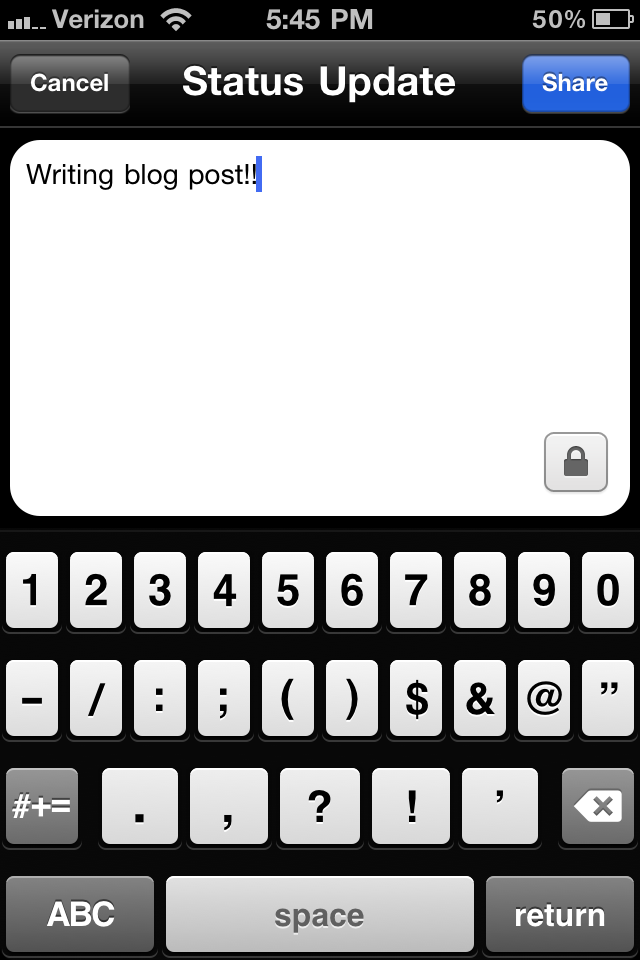
That was the Facebook app in a large nutshell. While I think there are some things the app could do with and without, I still think Facebook has created a fantastic mobile app that allows users to Facebook away from their desktop. To be honest, I use the app at my desktop.
If you have more questions, feel free to ask and I will answer to the best of my ability. If I confused you by referencing other apps, don't worry! I'm going to do posts on those very soon so you have a clearer picture of what I mean. If you just can't wait for my posts, download the app and discover the features for yourself!


